我想到达到的效果
当访问 https://www.gowhich.com/blog/1 时301跳转到 https://blog.gowhich.com/2025/05/29/ubuntu和centos的时间更新操作.html
如果是一个两个的跳转 通过nginx倒是也可以实现
但是我有1124个贴子需要全部跳转,用nginx就实现不了了
而且这个跳转也不是直接对应id跳转,
比如 https://www.gowhich.com/blog/1 时301跳转到 https://blog.gowhich.com/blog/1
因为之前的文章都通过hexo重新生成了,带id不好分辨文章,所以新的文章的url就跟之前变化很大,需要一步一步调整所有贴子
还好不多,调整起来就是花费点时间,跳转倒是个比较大的问题
以上就是事情原因,解决方案就是使用Cloudflare的Workers路由
Cloudflare的Workers路由创建

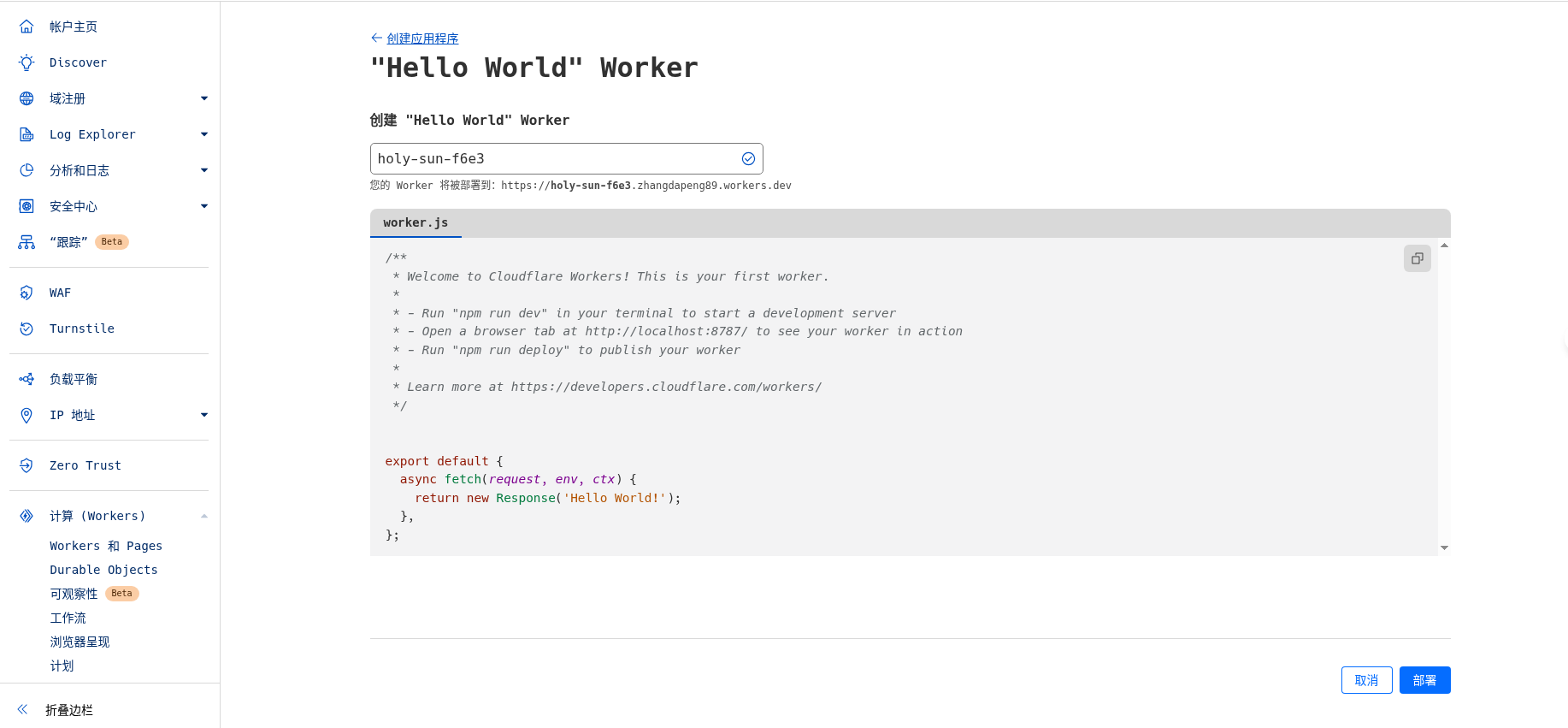
Workers路由代码编辑
我的实现逻辑就是上面说的,代码如下
/**
 * Welcome to Cloudflare Workers! This is your first worker.
 *
 * - Run "npm run dev" in your terminal to start a development server
 * - Open a browser tab at http://localhost:8787/ to see your worker in action
 * - Run "npm run deploy" to publish your worker
 *
 * Learn more at https://developers.cloudflare.com/workers/
 */
const dictData = {
  1: "/2025/05/29/ubuntu和centos的时间更新操作.html",
  2: "/2025/05/29/Yii%E4%B8%ADurlManager%E7%9A%84%E9%85%8D%E7%BD%AE.html",
}

addEventListener('fetch', event => {
  event.respondWith(handleRequest(event.request));
});


async function handleRequest(request) {
  const url = new URL(request.url);
  const pathArr = url.pathname.split('/');
  console.log(pathArr);
  if (pathArr.length < 3) {
    return fetch(request); // Response.redirect(request.url, 200);
  }

  let pathId = pathArr[2];

  console.log(url.pathname);
  if (url.pathname.match('/blog/view/id/*')) {
    pathId = pathArr[4];
  }

  // 设置新域名
  const newDomain = 'https://blog.gowhich.com'

  const newPathName = dictData[pathId] || undefined;

  // console.log(dictData);
  console.log(newPathName);

  if (newPathName == undefined) {
    return fetch(request); // Response.redirect(request.url, 200);
  }

  // 保留路径和查询参数
  const newUrl = newDomain + newPathName + url.search

  console.log(newUrl);

  // 返回 301 重定向
  return Response.redirect(newUrl, 301);

  // 无匹配则正常访问
  return fetch(request);
}
编辑完之后点击部署就可以了
配置
点击创建好的路由,配置按照如下步骤
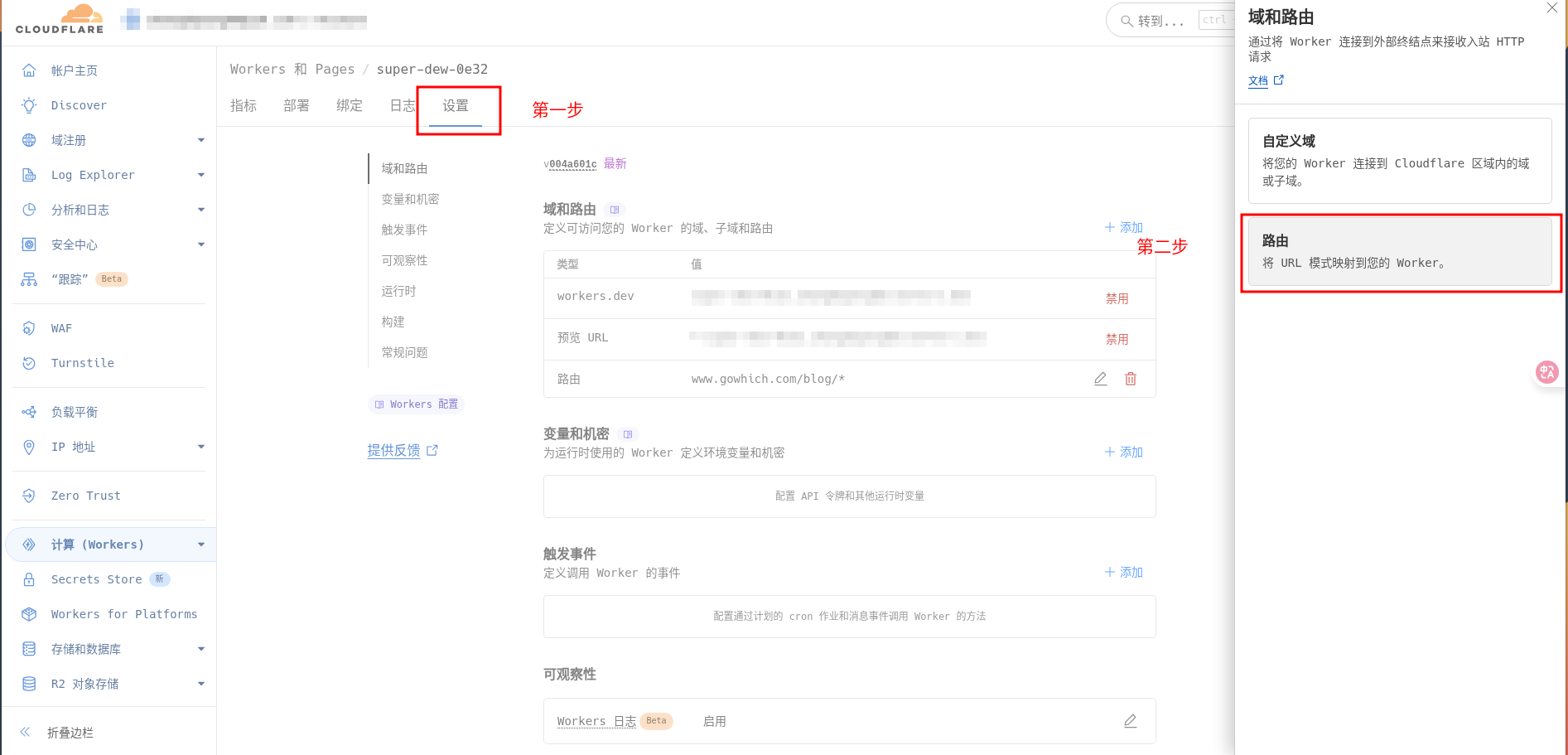

然后点击添加路由