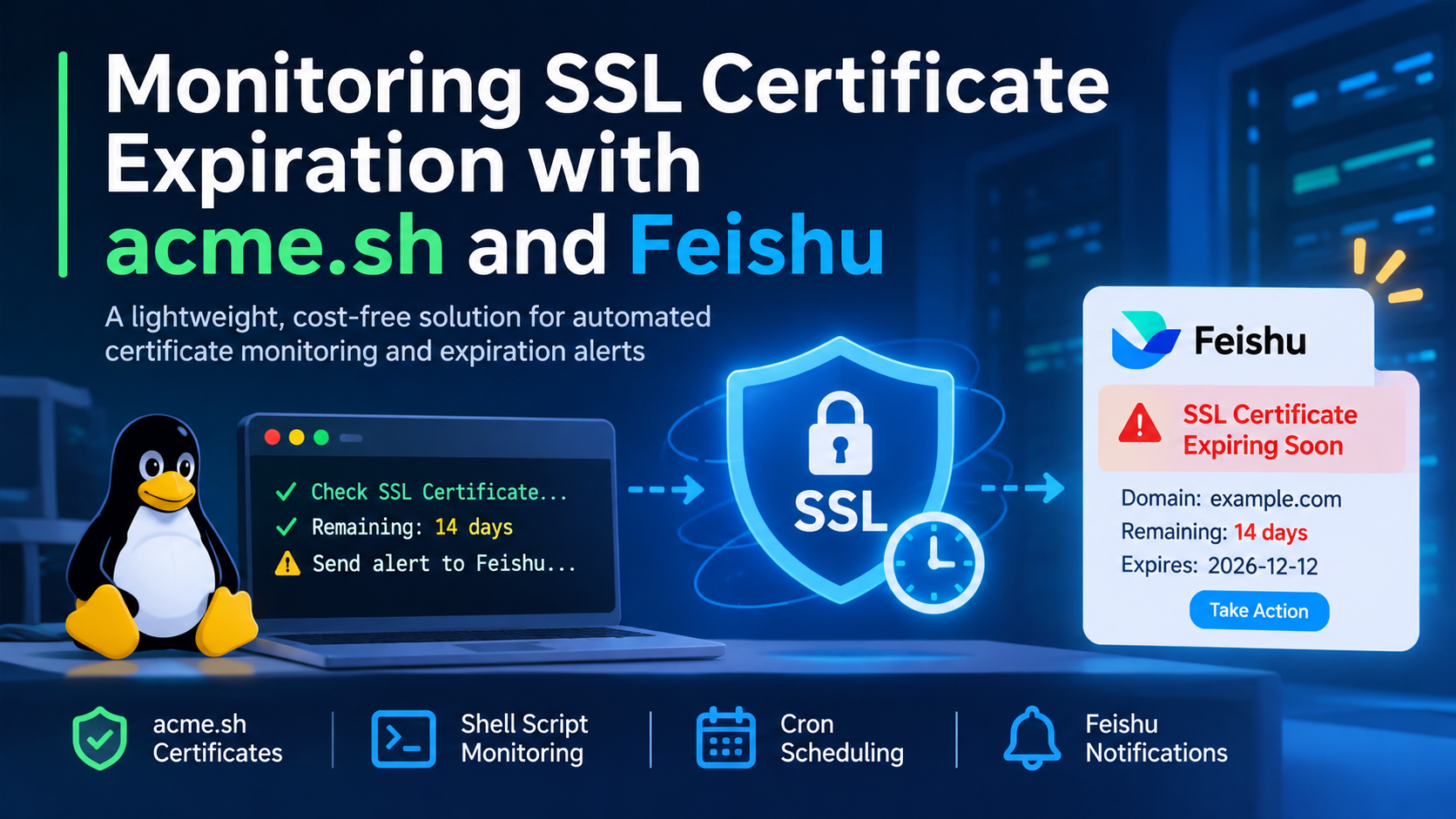
Monitoring SSL Certificate Expiration with acme.sh and Feishu
1. Is an SSL Certificate Issued by acme.sh Secure?
Yes. Certificates issued through acme.sh are generally just as secure as certificates issued through commercial certificate providers, provided that the Certificate Authority (CA) is trusted by major browsers and operating systems.
It is important to understand that acme.sh is an ACME protocol client. It automates certificate issuance and renewal, but it does not determine the cryptographic strength or trust level of the certificate itself.
Common certificate authorities include:
- Let’s Encrypt
- ZeroSSL
Security considerations
Cryptographic security
As long as the issuing CA is trusted, the TLS encryption strength is not inherently weaker simply because the certificate was obtained for free.
Short certificate validity periods
For example, Let’s Encrypt certificates traditionally have a 90-day validity period. Short validity periods encourage regular renewal and reduce the risks associated with long-lived certificates.
Client compatibility
Some legacy devices, embedded systems, and specialized application environments may not recognize every CA certificate chain. Always test compatibility with your actual clients.
Protect private keys and API credentials
Private keys and DNS API credentials should be protected carefully. Restrict file permissions and use DNS API tokens with the minimum permissions required.
For example:
chmod 600 private.key
Keep acme.sh updated
Use a trusted installation source and regularly update acme.sh to benefit from security fixes.
Install certificates properly
Avoid directly referencing certificate files inside the internal ~/.acme.sh/ directory in production services.
Instead, use --install-cert to deploy certificates into a dedicated service directory.
2. Risks of Using Manual DNS Validation in Enterprise Environments
Although manual DNS validation can successfully issue secure certificates, it introduces operational risks when used in production.
The biggest problem is that manual DNS validation cannot complete renewal automatically.
Main risks
Manual renewal requires human intervention
When a certificate approaches expiration, someone must manually add the required TXT record to the DNS provider.
If the responsible administrator forgets to renew the certificate, the website or API may become unavailable due to an expired certificate.
DV certificates may not satisfy compliance requirements
Free certificates issued through Let’s Encrypt or ZeroSSL are generally Domain Validation (DV) certificates.
They verify domain ownership but do not provide the organizational identity verification associated with OV or EV certificates.
If your business has specific compliance or customer identity-verification requirements, check whether DV certificates are sufficient.
Certificate chain compatibility
Some legacy enterprise systems and IoT devices may not recognize newer CA root certificates.
Private key management
Certificates and private keys are stored locally on the server. Shared server access, insufficient permissions, and missing audit records can increase the risk of exposure.
Recommended improvements
For enterprise production environments:
- Prefer DNS API validation with a dedicated, least-privilege API token.
- Automate certificate renewal whenever possible.
- Configure certificate expiration monitoring.
- Send alerts at least 15 days before expiration.
- Maintain a documented certificate renewal and deployment procedure.
If manual DNS validation cannot be avoided, expiration monitoring becomes particularly important.
3. Why Certificate Expiration Monitoring Is Necessary
The automatic renewal task installed by acme.sh does not guarantee successful renewal.
With manual DNS validation, acme.sh may attempt renewal but cannot complete the DNS challenge without manual intervention.
This means a certificate can approach expiration even though the scheduled renewal task is running normally.
A monitoring system should therefore check the actual certificate served by the production endpoint rather than simply checking local certificate files.
This distinction is important:
- A local certificate file may already have been updated.
- Nginx may not have reloaded the new certificate.
- A remote server may still be serving an old certificate.
- A certificate deployment operation may have failed.
Checking the live HTTPS endpoint verifies what external clients actually receive.
4. Choosing a Free Monitoring Solution
There are several ways to monitor SSL certificate expiration.
| Solution | Suitable for | Advantages |
|---|---|---|
| Prometheus + Blackbox Exporter | Medium and large environments | Flexible monitoring and alerting |
| Shell script + Cron | Small environments | Lightweight and easy to deploy |
| Cloud provider monitoring | Cloud-hosted services | Managed monitoring |
| GitHub Actions | Server-independent monitoring | No additional server resources |
For this implementation, we will use:
- Linux Shell
- OpenSSL
- curl
- Feishu Custom Bot Webhook
- Cron
This solution does not require a paid cloud monitoring service or additional monitoring infrastructure.
5. Create a Feishu Custom Bot
First, create a dedicated operations group in Feishu.
Then:
- Open the group settings.
- Navigate to Group Bots.
- Add a Custom Bot.
- Give it a name, such as
SSL Certificate Monitor. - Configure the security settings.
- Copy the generated Webhook URL.
If signature verification is enabled, Feishu will also provide a signing Secret.
You need both values:
WEBHOOK_URLSECRET
Keep them private. Anyone with access to these credentials may be able to send messages through your bot.
6. Create the SSL Certificate Monitoring Script
Create a script on a Linux server:
mkdir -p /opt/scripts
vim /opt/scripts/check_ssl_feishu.sh
The following script checks the actual SSL certificate served by each domain on port 443.
It supports Feishu signature verification and sends interactive card notifications.
#!/bin/bash

# ================= Configuration =================

# Domains to monitor. Use plain domain names only.
DOMAINS=("example.com" "api.example.com")

# Alert threshold in days
WARN_DAYS=15

# Feishu Custom Bot Webhook URL
WEBHOOK_URL="https://open.feishu.cn/open-apis/bot/v2/hook/YOUR_TOKEN"

# Feishu signature verification Secret
SECRET="YOUR_FEISHU_SECRET"

# ==================================================

# Send Feishu interactive card notification
send_feishu_card() {
    local TITLE="$1"
    local COLOR="$2"
    local CONTENT="$3"
    local SIGN_FIELDS=""

    # Generate signature if a Secret is configured
    if [ -n "$SECRET" ]; then
        TIMESTAMP=$(date +%s)

        STRING_TO_SIGN=$(printf "%s\n%s" "$TIMESTAMP" "$SECRET")

        SIGN=$(printf "" | openssl dgst -sha256 \
            -hmac "$STRING_TO_SIGN" -binary | base64)

        SIGN_FIELDS="\"timestamp\": \"$TIMESTAMP\", \"sign\": \"$SIGN\","
    fi

    curl -sS -X POST "$WEBHOOK_URL" \
        -H 'Content-Type: application/json' \
        -d "{
            ${SIGN_FIELDS}
            \"msg_type\": \"interactive\",
            \"card\": {
                \"header\": {
                    \"title\": {
                        \"tag\": \"plain_text\",
                        \"content\": \"$TITLE\"
                    },
                    \"template\": \"$COLOR\"
                },
                \"elements\": [{
                    \"tag\": \"div\",
                    \"text\": {
                        \"tag\": \"lark_md\",
                        \"content\": \"$CONTENT\"
                    }
                }]
            }
        }"

    echo ""
}

# Check every configured domain
for DOMAIN in "${DOMAINS[@]}"; do

    echo "Checking SSL certificate: $DOMAIN"

    # Retrieve the live certificate expiration date
    END_DATE=$(echo | timeout 10 openssl s_client \
        -servername "$DOMAIN" \
        -connect "$DOMAIN:443" 2>/dev/null \
        | openssl x509 -noout -enddate \
        | cut -d= -f2)

    # Handle connection or certificate retrieval failures
    if [ -z "$END_DATE" ]; then

        send_feishu_card \
            "SSL Certificate Check Failed" \
            "red" \
            "**Domain:** $DOMAIN\n**Error:** Unable to retrieve the SSL certificate. Please investigate immediately."

        continue
    fi

    # Calculate remaining validity
    END_TS=$(date -d "$END_DATE" +%s)
    NOW_TS=$(date +%s)

    LEFT_DAYS=$(( (END_TS - NOW_TS) / 86400 ))

    # Send alerts when expiration is approaching
    if [ "$LEFT_DAYS" -le "$WARN_DAYS" ]; then

        COLOR="orange"

        if [ "$LEFT_DAYS" -le 7 ]; then
            COLOR="red"
        fi

        MSG="**Domain:** $DOMAIN\n**Remaining validity:** **${LEFT_DAYS} days**\n**Expiration date:** $END_DATE\n**Action:** Please perform manual DNS validation renewal using acme.sh and reload Nginx."

        send_feishu_card \
            "SSL Certificate Expiration Warning" \
            "$COLOR" \
            "$MSG"

    else

        echo "[OK] $DOMAIN | Remaining: ${LEFT_DAYS} days | Expires: $END_DATE"

    fi

done
Configuration notes
There are four important configuration items.
| Variable | Description |
|---|---|
DOMAINS | Domains to monitor |
WARN_DAYS | Number of days before expiration to trigger an alert |
WEBHOOK_URL | Feishu Custom Bot Webhook |
SECRET | Feishu signature verification Secret |
Important: Domain names must not contain https:// or ://.
Correct:
DOMAINS=("example.com" "api.example.com")
Incorrect:
DOMAINS=("https://example.com" "://api.example.com")
The OpenSSL connection command expects a hostname, not a complete URL.
7. How Feishu Signature Verification Works
When signature verification is enabled, a normal Webhook request is insufficient.
Feishu requires a timestamp and a signature calculated using the configured Secret.
The signing process uses HMAC-SHA256.
The important part is:
TIMESTAMP=$(date +%s)

STRING_TO_SIGN=$(printf "%s\n%s" "$TIMESTAMP" "$SECRET")

SIGN=$(printf "" | openssl dgst -sha256 \
    -hmac "$STRING_TO_SIGN" -binary | base64)
The resulting request includes:
{
    "timestamp": "TIMESTAMP",
    "sign": "GENERATED_SIGNATURE",
    "msg_type": "interactive"
}
The timestamp and signature must be generated dynamically for each request.
If the timestamp is too far from the current server time, Feishu may reject the request.
Therefore, make sure your Linux server has accurate system time synchronization.
8. Test the Monitoring Script
Before configuring Cron, test the script manually.
First, make it executable:
chmod +x /opt/scripts/check_ssl_feishu.sh
Run it:
/opt/scripts/check_ssl_feishu.sh
If the certificate has more than 15 days remaining, the script should print something similar to:
Checking SSL certificate: example.com
[OK] example.com | Remaining: 75 days | Expires: ...
Force an alert for testing
You do not need to wait until a certificate approaches expiration.
Temporarily change:
WARN_DAYS=15
To:
WARN_DAYS=915
Since a certificate’s remaining validity will normally be below 915 days, the script should trigger an alert.
Check whether:
- The terminal displays the Feishu API response.
- The Feishu group receives an interactive card.
- The domain and expiration information are correct.
After testing, restore the threshold:
WARN_DAYS=15
Troubleshooting common problems
Problem 1: No output at all
Run the script with Bash debugging enabled:
bash -x /opt/scripts/check_ssl_feishu.sh
This prints each command before execution and helps identify where the script stops.
For example, if the configuration contains:
MAINS=("example.com")
But the loop references:
for DOMAIN in "${DOMAINS[@]}"; do
The variable names do not match, so the loop will not process the intended domains.
Always verify that DOMAINS is spelled correctly.
Problem 2: Windows line endings
If the script was edited on Windows and uploaded to Linux, it may contain Windows-style line endings.
Fix them with:
sed -i 's/\r$//' /opt/scripts/check_ssl_feishu.sh
Problem 3: Incorrect Webhook URL
Make sure you copied the complete Webhook URL, including its token.
A base URL such as:
https://open.feishu.cn/
is not a complete bot Webhook endpoint.
Problem 4: Signature verification failure
If Feishu returns an error such as:
{
    "code": 19021,
    "msg": "sign match fail"
}
Check:
- Whether the Secret is correct.
- Whether the signature algorithm is implemented correctly.
- Whether the server clock is synchronized.
Problem 5: curl produces no useful output
Use curl -v temporarily to inspect the HTTP request and connection.
The -s option suppresses normal curl progress and error messages. Using -sS is generally more useful during troubleshooting because it preserves error messages.
9. Schedule Daily Certificate Checks with Cron
Once the script works correctly, configure a daily scheduled task.
Open the Cron configuration:
crontab -e
Add:
0 10 * * * /opt/scripts/check_ssl_feishu.sh >/dev/null 2>&1
This runs the monitoring script every day at 10:00.
The redirection:
>/dev/null 2>&1
discards both standard output and standard error.
This prevents Cron from generating unnecessary local system email notifications.
If you want to keep execution logs for troubleshooting, you can instead use:
0 10 * * * /opt/scripts/check_ssl_feishu.sh >> /var/log/check_ssl.log 2>&1
10. Understanding the Default acme.sh Cron Job
When acme.sh is installed, it normally creates its own scheduled renewal task.
For example:
24 5,11,17,23 * * * "/home/username/.acme.sh"/acme.sh --cron --home "/home/username/.acme.sh" > /dev/null
This command periodically checks certificates managed by acme.sh.
If a certificate is due for renewal, acme.sh attempts to renew it and executes the configured deployment or reload commands when applicable.
However, with manual DNS validation, automatic renewal cannot complete without the required manual DNS challenge.
This is why the separate Feishu monitoring script is necessary.
Why does the acme.sh Cron job not use 2>&1?
Linux commands normally have two output streams:
- Standard output (
stdout, file descriptor 1): Normal execution messages. - Standard error (
stderr, file descriptor 2): Error messages and diagnostics.
Compare these two commands:
acme.sh default behavior:
command > /dev/null
This discards standard output but preserves standard error.
If an error occurs, Cron may capture the error output and send it through the system’s local mail mechanism, depending on the server configuration.
Our monitoring script:
command > /dev/null 2>&1
This discards both normal output and error output.
Since the monitoring script sends notifications directly to Feishu, local Cron email notifications may not be necessary.
The two approaches serve different purposes.
Recommendation: Keep the original acme.sh Cron job unchanged. It is part of acme.sh’s renewal mechanism and may become useful if you later switch to DNS API validation.
11. Final Architecture
The resulting monitoring workflow is straightforward:
- Cron runs the Shell script every day.
- OpenSSL connects to each domain’s HTTPS endpoint.
- The script retrieves the actual certificate expiration date.
- It calculates the remaining validity period.
- If the certificate has 15 days or fewer remaining, it generates a Feishu notification.
- If the certificate cannot be retrieved, it sends an error notification.
This provides an independent monitoring layer alongside acme.sh.
Conclusion
Using acme.sh to issue SSL certificates is a perfectly reasonable choice for many business environments. The main challenge with manual DNS validation is not certificate security but operational reliability.
A certificate can be cryptographically secure and still cause a production outage if nobody notices that it is about to expire.
By combining OpenSSL, a lightweight Shell script, Cron, and Feishu Webhook notifications, you can build a simple certificate expiration monitoring solution without paying for cloud-provider monitoring services.
For small teams and projects with a limited number of domains, this approach provides a practical balance between cost, simplicity, and operational visibility.
For larger production environments, consider moving to DNS API validation with least-privilege credentials and automated renewal.